You don't need another chat box.You need somewhere to think.

Nolënor is a visual thinking space where your ideas can grow, connect, and take shape.

Bring AI into your thinking. Don't move your thinking into a chat.

Open beta — free while we build it.


Every AI tool hands you a chat box.That's the problem.

A chat is built for conversation: one prompt, one answer, one thread at a time.
But real thinking is messier. It moves between ideas, references, questions, notes and half-formed connections.

PROBLEM #01

The chat turns thinking into prompting.

When an answer arrives before your thoughts have taken shape, you stop developing an idea and start reacting to ones.

PROBLEM #02

The chat hides what matters.

You can't see what the AI is using, missing, or remembering, making good results hard to understand and bad results hard to fix.

PROBLEM #03

The chat buries your work.

An idea, a decision, a document... All of it produced inside a conversation, and none of it anywhere you can go back to.


Nolënor gives your thinking a place to live.
And gives AI a way to join it.

Your ideas can take shape at their own pace, with AI there to help, not take over.

Capture and connect.

Start with whatever is on your mind.

  • Documents, tables, images, PDFs and KPIs, side by side
  • Infinite pan and zoom — drag, resize, connect
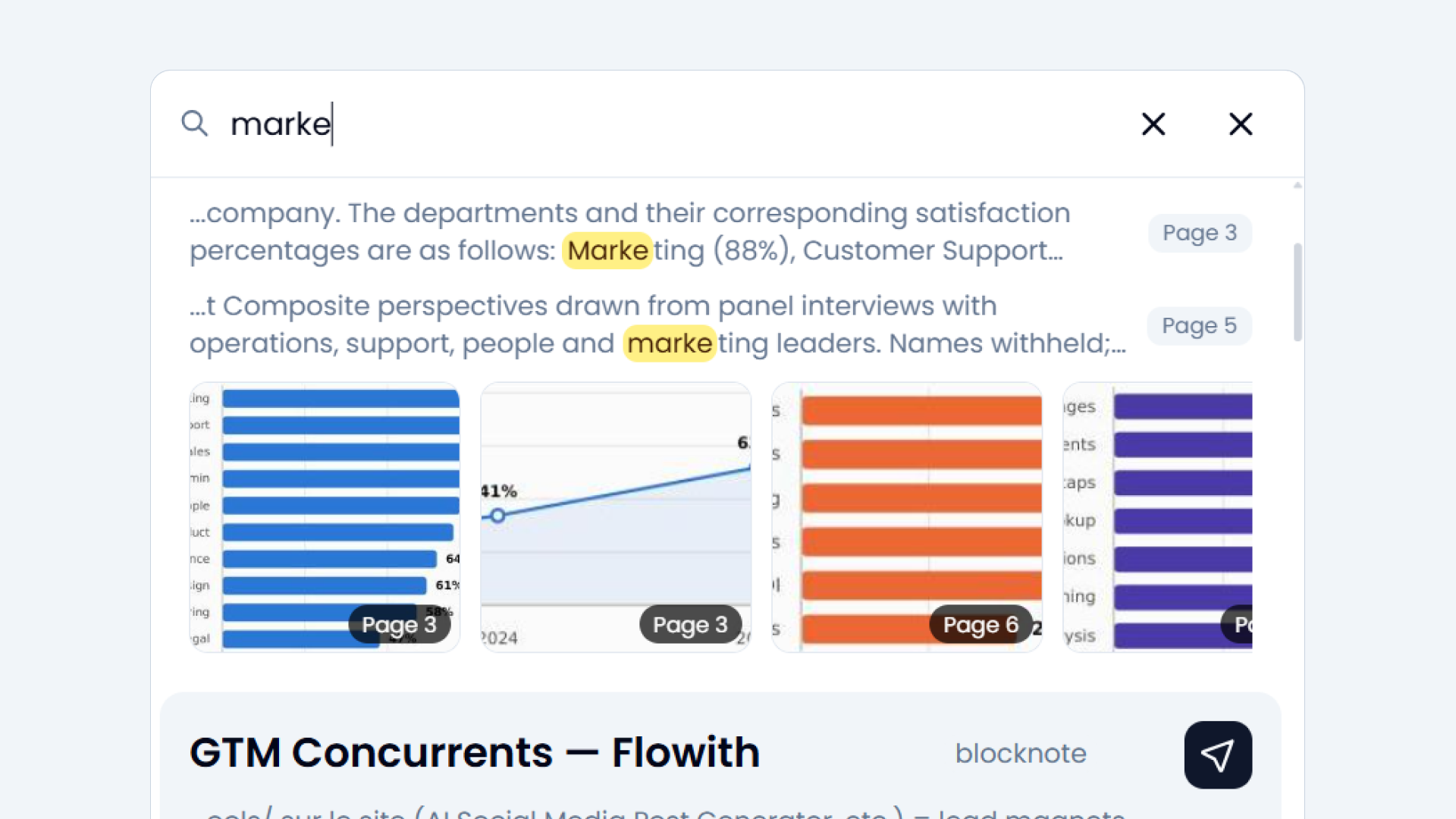
  • Search across everything, PDF pages included

Give AI the right context.

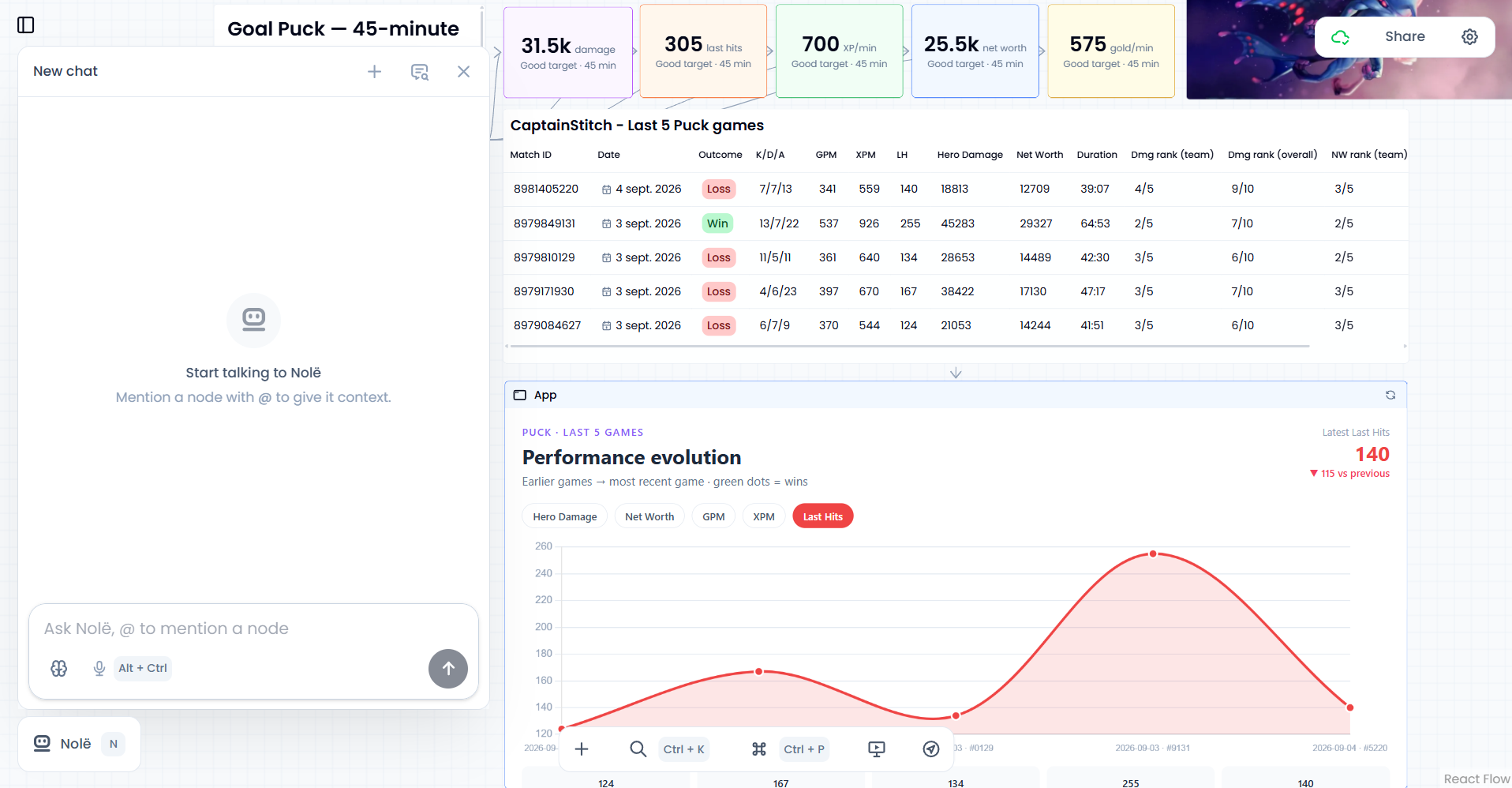
Meet Nolë, your agent on the canvas

  • Every tool call and reasoning step, streamed live
  • @mention any node or alt+clic on it to pull it into context
  • Close the chat, run multiple tasks in parallel, results appear live


Powerful nodes for powerful thinking

Each node is readable, editable and searchable by you and by Nolë, your visual assistant.

PDF, images, audio and video are transcribed as text and indexed for better AI understanding and searchability.

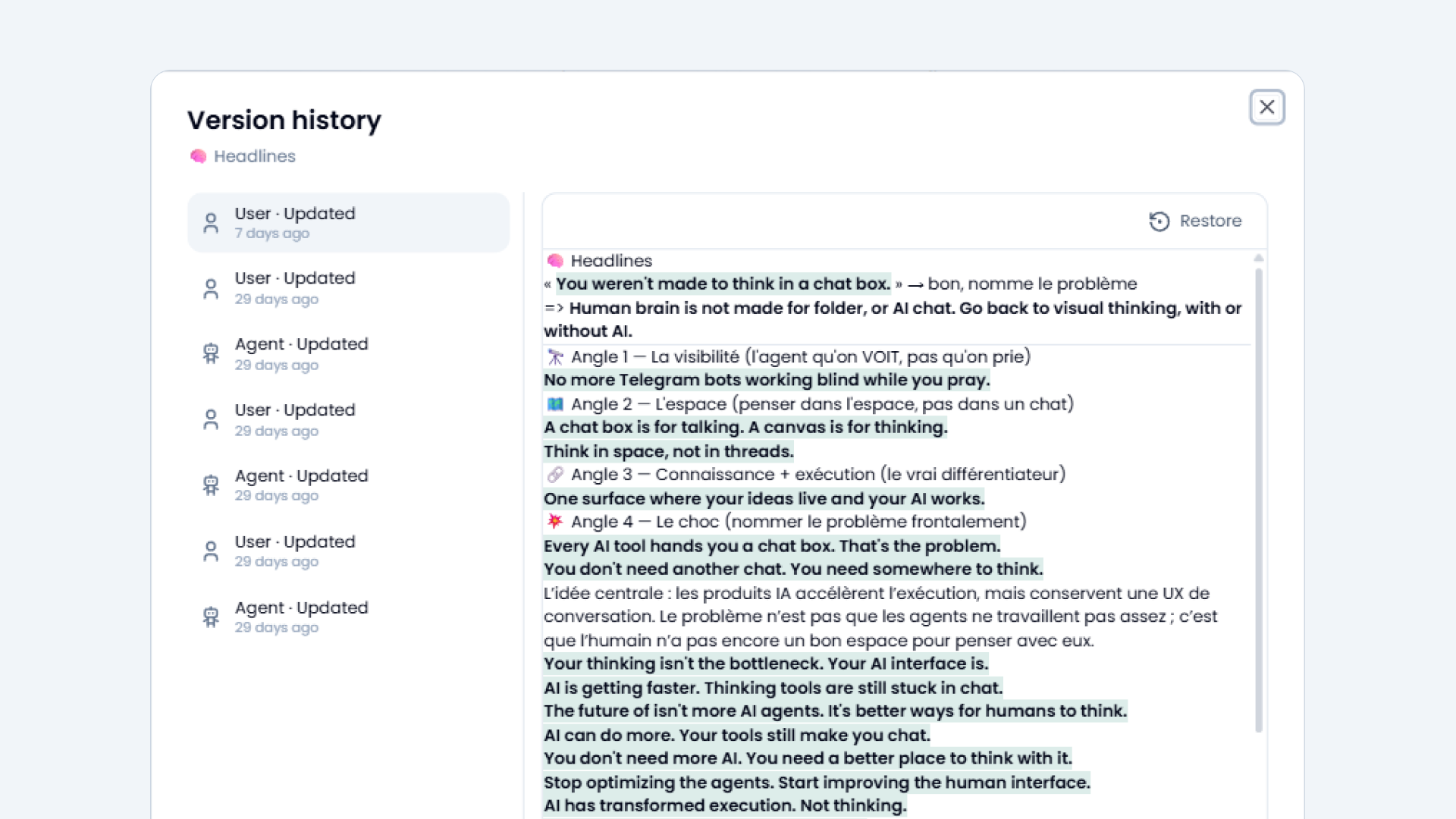
Version history for every edit made.

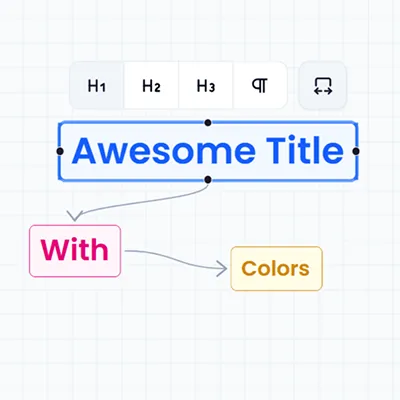
Title

The skeleton of your canvas. Group ideas into sections so the board stays scannable the more you add.

A Title node with its formatting toolbar open, linked to two smaller labelled nodes on the canvas

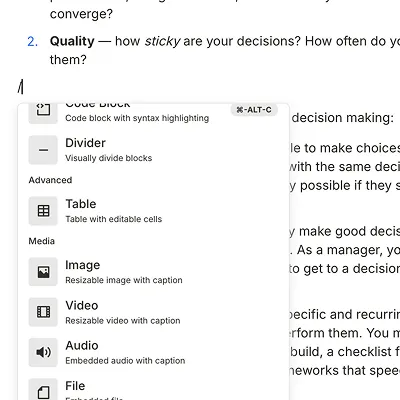
Blocknote

A full rich-text editor with headings, lists, tables, mentions, dates, callouts…

A Blocknote node with its slash-command menu open on the block types: divider, table, image, video, audio, file

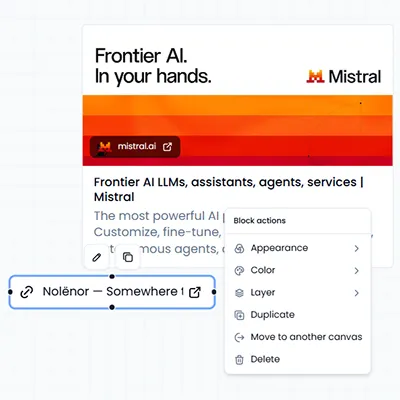
Link

Drop any URL onto the canvas and keep the source one click away, not buried in tabs.

A Link node showing a fetched page preview (thumbnail, title, description and favicon) for an external URL

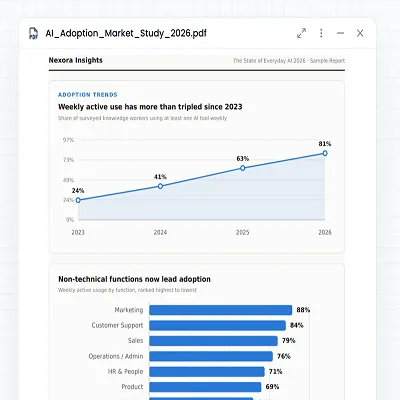
PDF

Store the actual document on the canvas and read it in place. No downloads, no hunting for files.

A PDF node rendering a market-study document in place on the canvas, charts included

Table

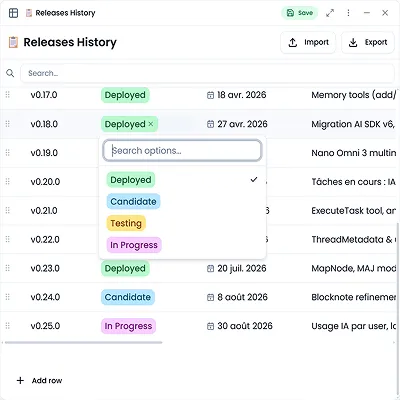
Structured data with typed columns (text, number, date, link, select, mentions…).

A Table node with typed columns (version, status select, date, text) and one select cell open

App

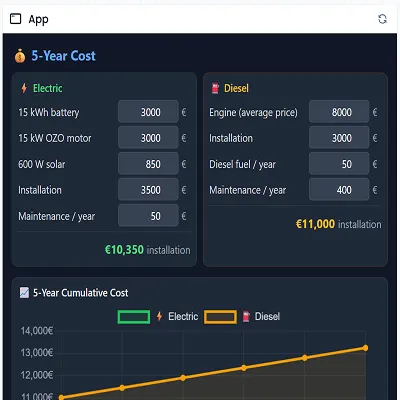
A mini app in a node, reading data from the canvas to build the exact dashboard or tool you need.

An App node rendering a live cost-comparison dashboard built from canvas data, with editable inputs and a chart

Image

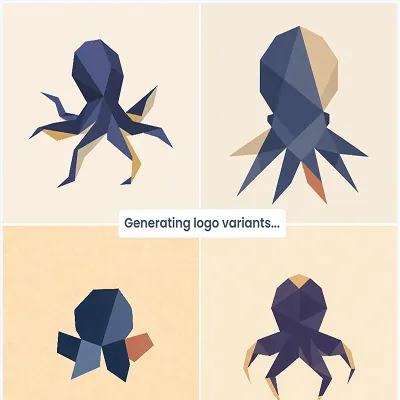
Paste a screenshot, reference or generate images. The visual sits exactly where it's being discussed.

An Image node holding a 2×2 grid of generated logo variants with the generation caption beneath

Audio & Video

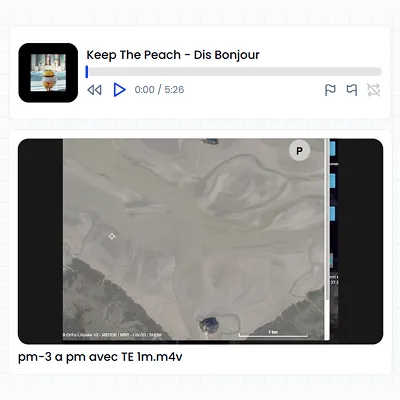
Voice memos, interviews, talks, playable on the canvas, with loop regions to replay one passage.

An Audio node with a waveform player and a loop region, above a Video node playing on the canvas

Custom

Design your own node type with the exact fields you need. Use it as a reusable template anywhere.

Soon

Cutting-edge features for the agentic era

Less headline, more day-to-day. The things you end up relying on once a real project lives on the canvas.

And also:

Skills
Teach Nolë a way of working once. It loads the skill when the task calls for it.
Speech to text
Talk to Nolë instead of typing. Language detected as you go.
Image generation
Generate images straight onto the canvas, across several models.
Slideshows
Save viewpoints as you work and play them back. The canvas becomes the deck.
Your thinking stays yours.
Export everything in open formats (markdown, JSON, CSV), whenever you want. No lock-in. No fear of losing the work you built.


Who is Nolënor for?

Nolënor is for people who want to stay involved in their thinking while using AI.

It's for you if you

  • work on projects that involve scattered information and evolving ideas
  • want to connect knowledge and execution in one visual space
  • use AI to explore, challenge and develop your thinking
  • prefer understanding and directing the process rather than receiving a black-box answer

It may not be for you if you

  • only want AI to produce a finished result without your involvement
  • are looking for a fully autonomous autopilot that makes every decision for you
  • prefer a simple linear chat for quick, one-off questions
  • want to organize everything exclusively through folders and nested folders

Nolënor is for people who want AI to move their thinking forward — not replace it.


FAQ

Is Nolënor another AI chat tool?

No. Nolënor is a visual thinking workspace with AI built into the canvas. Instead of keeping your ideas inside a linear chat, you can organize notes, links, images, PDFs, tables and tasks in one connected space. Then ask AI to work with the context you choose.

What is Nolënor used for?

Nolënor helps you research, organize ideas and turn your thinking into action. You can use it to prepare a project, analyze documents, plan a launch, manage knowledge, explore a topic or collaborate with AI on complex tasks.

How is Nolënor different from Notion or other note-taking apps?

Nolënor combines a visual canvas, structured knowledge and AI execution. Your notes and resources are not just stored in folders: they can be connected, searched, analyzed and transformed into new content, tables, plans or actions.

Does the AI see my entire canvas?

No. You stay in control of the context. Select the nodes, documents or sources you want Nolë to use before asking a question. This makes the AI's work easier to understand, verify and correct.

What can I add to my Nolënor workspace?

You can add notes, ideas, links, images, PDFs, audio, videos, tables, tasks and interactive apps. Each item becomes a node that you can move, connect, search and reuse as your project evolves.

Can I use Nolënor without AI?

Yes. Nolënor works as a visual workspace even when you are not using AI. You can capture ideas, organize information, connect references and build your own system manually. AI is there when you need help, not in the way when you don't.

Can Nolënor help me work with PDFs and other documents?

Yes. You can bring documents and other resources into your workspace, connect them to your ideas and ask Nolë focused questions about the context you select. This is useful for research, analysis, synthesis and decision-making.

Is Nolënor free?

Nolënor is currently in open beta and free to use while we build it with early users. AI usage is included within generous fair-use limits. Pricing may evolve as the product develops.

Can I export my data from Nolënor?

Yes. Nolënor is designed to keep your thinking portable. You can export your work in open formats such as Markdown, JSON and CSV, so your ideas remain yours and are not locked inside the platform.

Who is Nolënor for?

Nolënor is for people who want to stay involved in their thinking while using AI. It is especially useful for researchers, creators, founders, students, consultants and anyone working on projects that involve scattered information and complex decisions.

Your thinking has somewhere to go.

Nolënor is in open beta and free to use while we build it with early users.

Try it for free